
# Toplu Doğrulama Yöntemleri

  1. Google Business Profile hesabınızla giriş yapın.

  2. Sol menüden "Verifications" tıklayın.
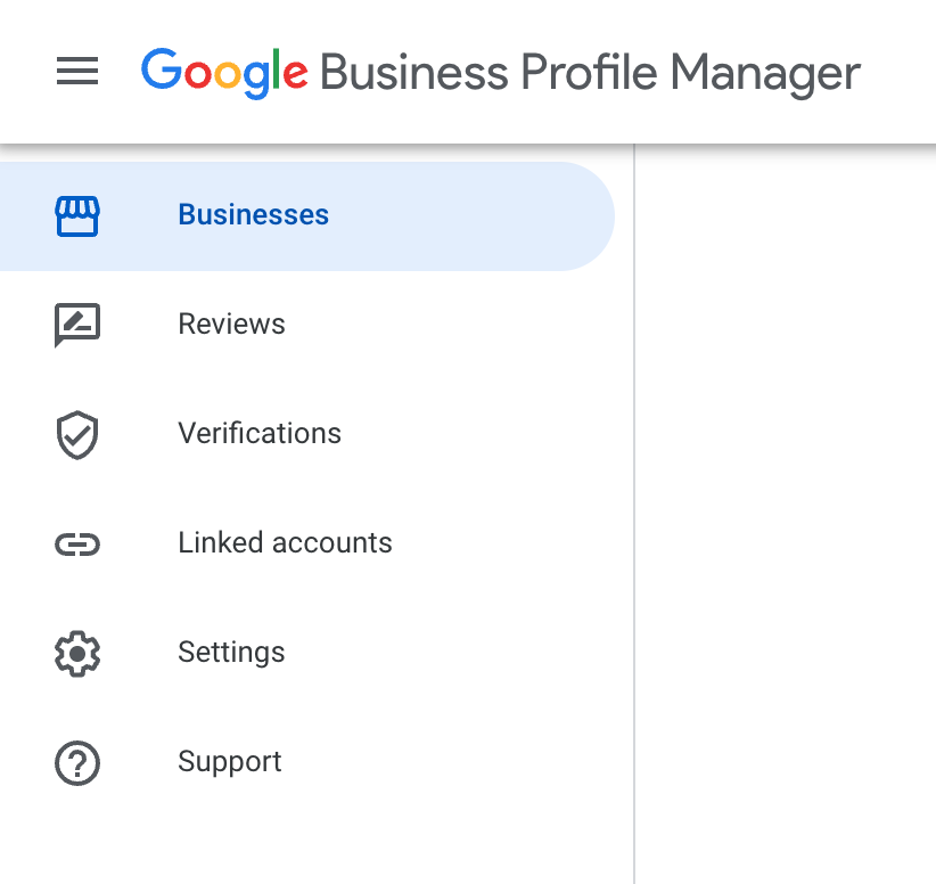
    Google Business Profile Örnek Menü Görüntüsü

  3. Açılan pencerede "Chain" seçeneğine tıklayın.
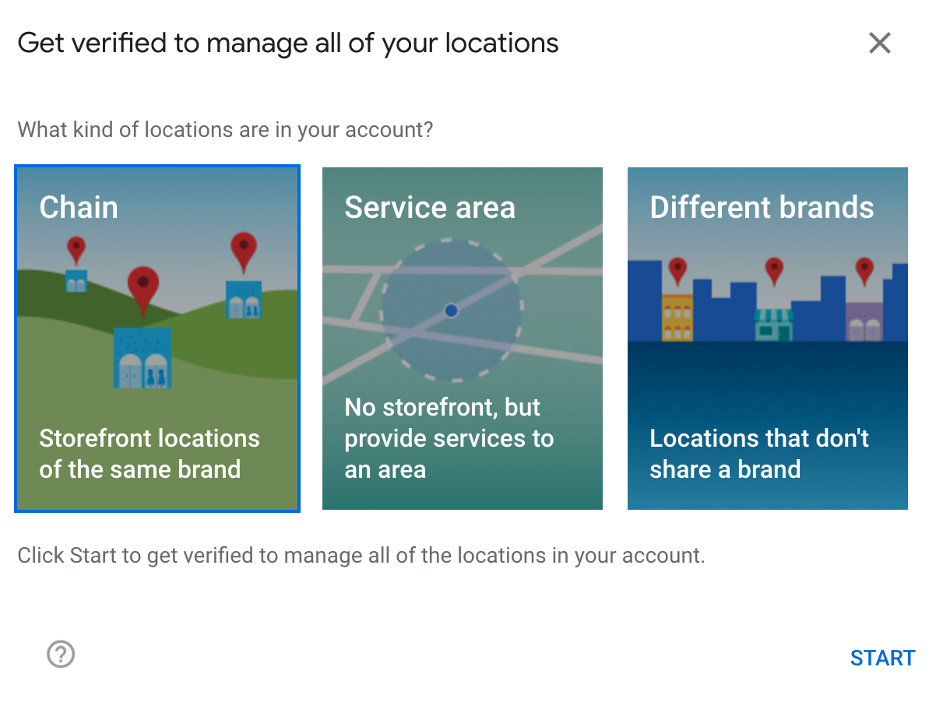
    Google Business Profile Örnek Chain Seçeneği Görüntüsü

  4. Karşınızda bir formu şirketiniz ve bilgileriniz ile doldurmalısınız.

# Form Alanları

Sonunda yıldız (*) olan alanlar zorunludur.

Alan Örnek Bilgi
What is your name?* İlter Gürel
What is your relationship to the business? * I’m an employee of this business
What is your email address? ilter.gurel@benimarkam.com
Your phone number?* Türkiye (+90) 555 666 77 88
Business name* Benim Markam
What is your business website? https://www.benimmarkam.com.tr
Which of the following best describes your business? * My business has a physical location which customers can visit (e.g restaurant, store)
How many locations does your business have? [Number of stores] * 100 (En güncel mağaza sayısınızı yazınız)
If you have a store locator, or an “about us” page which confirms the number of locations you have, please paste the link here https://www.benimmarkam.com.tr/address/stores/
Confirm you have already uploaded all of your locations into the business profile manager: business.google.com * Yes
Are any of the business profiles in your account currently suspended? * No
Does the email address you are using to upload and manage the profiles match the domain of the company website? * Yes
We may ask for photographs of the outside of some of your business locations displaying clear signage. We may not be able to grant your bulk verification request without these images. Please confirm that you will be able to provide photographs if requested * Yes
Describe your issue. We kindly request bulk verification.

Not: Bulk Verification(Toplu Doğrulam) formunu birlikte doldurmak için bizlerden destek alabilirsiniz. Konu hakkında ilter.gurel@venuex.io'ya e-posta atmanız yeterlidir.